

Commands
Menu bar commands
 Info
Info
To open the information page.

 Verbose
To activate or inhibit the guide messages. The two icons show the state.
 Screens
To switch between two active screens, when there are two of them active.
The windows follow the logical sequence of operations automatically. This command allows to go to the other window temporarily.

To launch the Do-It-Yourself function
 Undo
Undo
To step back during bidding
 RS
RS
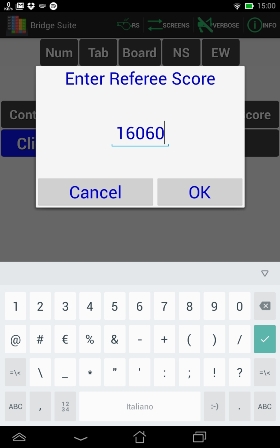
Opens a windows to enter a character string that is used ad Referee Score, according to tournament rules.
 See
See
Show the Table of Scores for the hand just played and saved in the Fix Contract and Bidding Box functions.
 See (better)
Show the scores details, including the bidding sequence. Available in the Fix Contract and Bidding Box functions, or directly in the Home Page of the Review function.
Tablet commands
 Return
The Android Return command (in the bottom bar) closes a function and goes back to where it was activated, exit from the App if used in the Home Page, and switch the screens when on the second screen of a function.
Bidding Box buttons


The traditional bidding box cards are shown as buttons that change size and color when touched and that must be touched again to confirm.
Touching any other button, deselect the previous one
Other buttons

Buttons are visible and enabled only when it is possible to use them.
The usable button are bright blue to distinguish them from just display text.
Some of them are confirm buttons, others are pull-down menus
Guide messages

At the begin of each operating phase guides are shown at the bottom of the screen.
Just touch them, or the screen, to close.
These guides can be inhibit with  Verbose command in the top menu bar